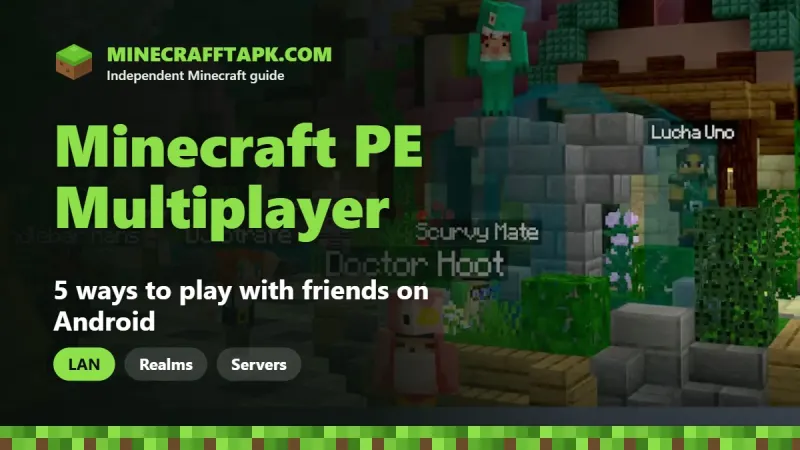
There are 5 ways to play Minecraft PE multiplayer on Android: 1) on the same Wi-Fi with a LAN game, 2) online with Microsoft account friends using Invite to Game, 3) on a Realm (a paid private server that is always online), 4) on featured servers like The Hive, CubeCraft and Lifeboat, or 5) on any custom server by entering its address and port (default 19132). Everyone must be on the same Minecraft version, and online play needs a free Microsoft account. No paid Xbox subscription is needed on phones.
Table of Contents
Minecraft is more fun with friends, and the Android version makes it easy because it is part of Bedrock Edition. That means you can play with friends on iPhone, Windows, Xbox, PlayStation and Nintendo Switch too. This guide explains every Minecraft PE multiplayer method step by step and how to fix the most common connection errors.
What You Need Before Playing Multiplayer
- The official Minecraft app on every device, all on the same version (the latest is 26.52).
- A free Microsoft account for online play, Realms and servers (not needed for LAN).
- Multiplayer Game turned on in your world settings (it is on by default).
- For players under 18: online multiplayer allowed in the account's Xbox privacy and family settings.
Method 1: Play on the Same Wi-Fi (LAN)
- Connect all devices to the same Wi-Fi network.
- The host opens a world, then checks Settings → Multiplayer: Multiplayer Game and Visible to LAN Players must be on.
- Friends tap Play → Friends tab and join the world under LAN Games.
Tip: LAN games don't work on many hotel, school or "guest" Wi-Fi networks that block devices from seeing each other. A phone hotspot from the host usually works.
Method 2: Play Online With Friends
- Sign in to your Microsoft account in Minecraft.
- Open Play → Friends → Add Friend and search for your friend's gamertag.
- The host opens a world, pauses the game and taps Invite to Game.
- Friends accept the invite, or find the world under Joinable Friends.
The world is only online while the host is playing. For an always-on world, use a Realm.
Method 3: Minecraft Realms
Realms is Mojang's official private server subscription. Your world stays online 24/7, so friends can join even when you are offline. A Realm supports a small group (up to 10 players online at once) and is managed from the Realms tab.
- Realmsone private world for you and your friends.
- Realms Plusalso includes the Marketplace Pass catalog of worlds, skin packs and texture packs.
Prices change by country, so check the current price in the game before subscribing. A free trial is sometimes offered.
Method 4: Featured Servers
Featured servers are big partner servers listed in the Servers tab. They host minigames like Bed Wars, Hide and Seek, Survival Games and Skyblock with players from all over the world. The list changes over time, but common names include:
| Server | Known for |
|---|---|
| The Hive | Hide and Seek, Murder Mystery, Treasure Wars, SkyWars |
| CubeCraft | Bed Wars, EggWars, SkyWars, Parkour |
| Lifeboat | Survival, Factions, SkyWars, Bed Wars |
| Mineville | Roleplay city and minigames |
| Galaxite | Arcade-style minigames |
Just tap a server in the list and press Join Server.
Method 5: Join Any Server by IP Address
- Tap Play → Servers.
- Scroll to the bottom and tap Add Server.
- Enter a name, the server address and the port (usually 19132).
- Tap Save, then join the server from the list.
- Only join servers you trust; read their rules and don't share your password.
- Never download "server join" APKs or hacked clients; they can steal accounts and get you banned.
Cross-Play: Who Can You Play With?
| Platform | Can play with Android? |
|---|---|
| iPhone and iPad | Yes |
| Windows (Minecraft for Windows) | Yes |
| Xbox, PlayStation, Nintendo Switch | Yes |
| Minecraft Java Edition (PC) | No |
Learn why in Minecraft Java Edition APK: is it real? Friends on PC can use the Bedrock version; see Minecraft Pocket Edition APK for how the editions fit together.
Fixing Minecraft PE Multiplayer Problems
| Error | Fix |
|---|---|
| "Unable to connect to world" | Update all devices to the same version and restart the game. |
| "Outdated client" / "Outdated server" | Update Minecraft from Google Play. |
| Friend's LAN world not showing | Same Wi-Fi, Visible to LAN Players on, no guest network. |
| "You cannot play online multiplayer" | Change the account's Xbox privacy or family settings to allow multiplayer. |
| Lag on servers | Pick a closer region, lower render distance, use stable Wi-Fi. |

Everyone needs the official game on the same version to play together. Get the latest Minecraft APK here:
Frequently Asked Questions
How do I play Minecraft PE multiplayer on the same Wi-Fi?
Connect to the same Wi-Fi, turn on Visible to LAN Players in the host’s world, and friends join from the Friends tab under LAN Games.
Is Minecraft PE multiplayer free?
Yes. LAN, friend invites and servers are free with a free Microsoft account. Only Realms is a paid subscription.
Do I need Xbox Game Pass to play Minecraft online on Android?
No. Online multiplayer on phones does not need a paid Xbox subscription.
Can Minecraft PE play with PC players?
Yes, with Minecraft for Windows (Bedrock Edition). Android cannot play with Java Edition.
What port do Minecraft PE servers use?
Bedrock servers use port 19132 by default.
Why can’t I join my friend’s Minecraft world?
Usually the versions don’t match, multiplayer is off, or account privacy settings block online play.