A "Minecraft mod APK" is an unofficial, modified copy of the game, usually advertised with "unlimited" items, unlocked skins or a mod menu. These files are not made by Mojang, can contain malware, cannot sign in to a Microsoft account and break with every update. The safe way to mod Minecraft on Android is to keep the official app and add add-ons, resource packs and worlds (.mcaddon, .mcpack, .mcworld files) or Marketplace content.
Table of Contents
"Minecraft mod APK download" is one of the most searched Minecraft terms, and it is easy to see why: players want new mobs, new items, shaders and fun cheats. The good news is that Bedrock Edition on Android already supports real mods through add-ons, and it does so without risking your phone or your account. This guide explains the difference, the risks of modded APKs and exactly how to install add-ons step by step.
Mod APK vs Add-Ons: What Is the Difference?
| Modded APK | Official app + add-ons | |
|---|---|---|
| What it is | A re-packaged copy of the game with changed code | The real game plus content packs loaded by Minecraft itself |
| Made by | Unknown uploaders | Mojang (game) and community or Marketplace creators (packs) |
| Security | Unverifiable, may include malware or adware | Game scanned by Google Play; packs are data files, not apps |
| Microsoft account | Usually cannot sign in | Works normally |
| Multiplayer and Realms | Broken or blocked | Works (Realms supports add-ons) |
| Updates | Manual, delayed, often break saves | Automatic from Google Play |
| Legal | Violates Mojang's terms | Allowed |
Risks of Downloading a Minecraft Mod APK
- Malware and adwaremodified APKs are a common way to spread fake ads, data-stealing code and unwanted apps.
- Lost worldsmodded builds can crash or corrupt saves, and you cannot switch to the official app without uninstalling (which can delete worlds).
- No sign-inwithout a Microsoft account you lose friends, Realms, featured servers and Marketplace purchases.
- Account bansusing hacked clients on servers can get you banned.
- No updateseach new drop requires a new unofficial file, often weeks late.
"Unlimited Minecoins" mod APKs do not work. Minecoins and Marketplace purchases are stored on Microsoft's servers, not in the APK, so no modified file can add real currency. These offers are bait.

Types of Safe Minecraft Mods for Android
Add-ons (behavior packs)
Change how mobs, items and blocks behave — new creatures, weapons, furniture, vehicles and game mechanics. Usually shared as .mcaddon files.
Resource packs (texture packs)
Change how the game looks: textures, sounds, user interface and shader-style lighting. Usually .mcpack files.
Worlds and maps
Adventure maps, parkour maps, mini-games and survival challenges shared as .mcworld files.
Marketplace content
Paid and free packs inside the game, made by approved creators. They install with one tap and sync with your Microsoft account.
How to Install Add-Ons on Minecraft APK (Step by Step)
- Install the official game from Google Play and open it once.
- Download the add-on from a trusted creator page. Make sure the file ends in
.mcaddon,.mcpackor.mcworld— never.apk. - Open the file from your Downloads folder and choose Minecraft when Android asks which app to use. Minecraft will show "Import started" and then "Successfully imported".
- Create or edit a world, then open Behavior Packs or Resource Packs in the world settings and tap Activate on your pack.
- If the add-on asks for it, turn on the required Experiments toggles in the Game settings (make a copy of important worlds first).
- Tap Play and enjoy your mod.
Tip: If Android opens the file in another app, use the Files app → long-press the file → Open with → Minecraft. On some phones you can also move the pack into Minecraft's import folder from inside the game settings.
What About MCPEDL and Similar Sites?
Community sites such as MCPEDL are popular places to find add-ons, maps and texture packs for Bedrock. Packs from these communities are data files that work with the official game. Be careful with look-alike sites and pages that offer the game itself as an APK — those are not run by Mojang and the files cannot be verified. Download only packs, never a replacement game APK, and keep your official app from Google Play.
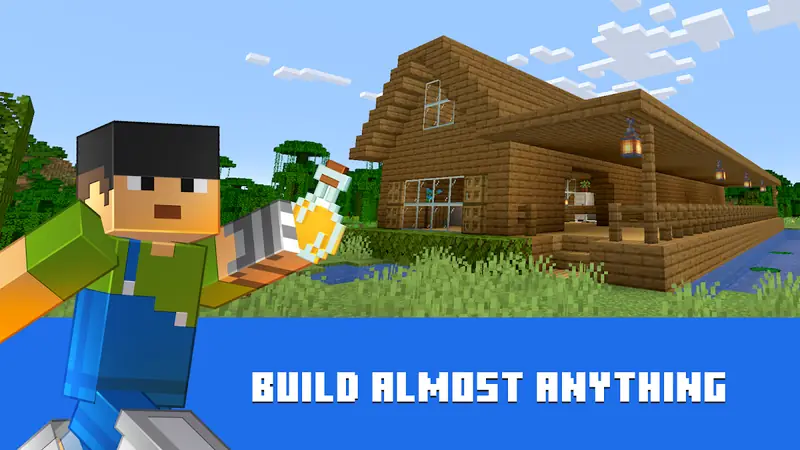
Built-In "Cheats" You Can Use Without Mods
Many things players want from a mod APK are already in the game:
- Creative modeunlimited blocks and flying.
- Commandsenable cheats in world settings, then use commands like
/give,/time set day,/weather clearor/gamemode creative. - Keep Inventorya world option so you keep your items when you die.
- Seedsstart new worlds from famous seeds with villages and structures nearby.
Not sure whether an APK file is genuine? Read Is Minecraft APK safe? for a quick checklist.
Frequently Asked Questions
Is Minecraft mod APK safe?
No. Modified APKs are unverified, often contain malware or adware, and cannot sign in to a Microsoft account.
How do I add mods to Minecraft on Android?
Download an add-on (.mcaddon or .mcpack), open it with Minecraft, then activate it in your world's Behavior or Resource Packs.
Can a mod APK give unlimited Minecoins?
No. Minecoins are stored on Microsoft servers, so no APK can add real Minecoins.
Do add-ons work on Realms?
Yes, Realms supports add-ons and Marketplace content.