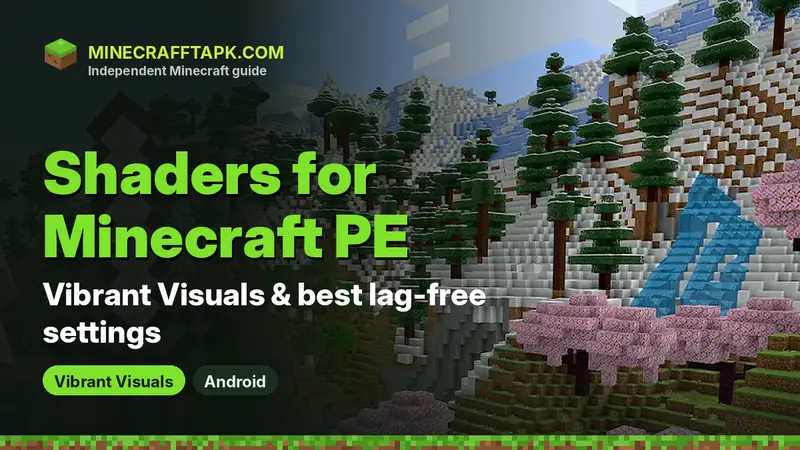
The best and safest shader for Minecraft PE is Vibrant Visuals — Mojang's free, built-in graphics mode for Bedrock Edition. It adds volumetric lighting, reflective water, infinite clouds and enhanced textures. Turn it on in Settings → Video → Graphics Mode → Vibrant Visuals. On Android it needs a GPU at the level of Adreno 640, Mali-G68, Mali-G77 or Xclipse 530 or higher. Third-party "shaders for Minecraft PE" usually require patching the game and can break with every update.
Table of Contents
- What Are Shaders in Minecraft PE?
- Vibrant Visuals: The Official Minecraft PE Shader
- How to Turn On Shaders (Vibrant Visuals) in Minecraft PE
- Which Android Phones Support Vibrant Visuals?
- Best Settings for Shaders Without Lag
- Shader Texture Packs and Marketplace Packs
- What About Third-Party "Shaders for Minecraft PE"?
- Fixing Common Shader Problems
Shaders are one of the most searched Minecraft PE topics, and for good reason: realistic sunlight, shadows and shiny water make the blocky world look completely different. For years mobile players had to rely on unofficial tricks. Today Bedrock Edition has its own official shader-style mode, so most players no longer need anything extra. This guide explains how to enable it, which phones support it, how to keep the game smooth, and what to know about third-party shaders.
What Are Shaders in Minecraft PE?
Shaders change how light, shadows, water, fog and the sky are drawn. Unlike texture packs, they do not change the look of individual blocks — they change the lighting around them. Java Edition uses shader loaders that do not work on Bedrock, because Bedrock runs on Mojang's own rendering engine. That is why Java shader packs cannot be installed on the Android version.
Vibrant Visuals: The Official Minecraft PE Shader
Vibrant Visuals launched on Bedrock Edition with the Chase the Skies drop in June 2025. It is free, built into the game and updated by Mojang together with every release. According to Mojang, it brings:
- Volumetric lightingvisible sun rays and light shafts through leaves and caves
- Reflective waterwater mirrors the sky and nearby blocks
- Infinite cloudsclouds that stretch to the horizon
- Enhanced texturesblocks react more realistically to light
It is a cosmetic mode only — it does not change gameplay, so your worlds, mobs and redstone work exactly the same.
How to Turn On Shaders (Vibrant Visuals) in Minecraft PE
- Update Minecraft to the latest version from Google Play (currently 26.52).
- Open Minecraft and tap Settings.
- Go to the Video tab.
- Open the Graphics Mode drop-down and choose Vibrant Visuals.
- Load a world — the new lighting applies immediately.
Tip: On compatible devices Vibrant Visuals may already be the default. You can also switch the graphics mode from the Create New World or Edit World screens.
Which Android Phones Support Vibrant Visuals?
Mojang lists the minimum Android GPU as Adreno 640, Mali-G68, Mali-G77 or Xclipse 530 or higher. In practice this covers most mid-range and flagship phones from recent years. If the Vibrant Visuals option is missing from the Graphics Mode menu, your device is not supported or your game is not up to date.
| GPU family | Minimum for Vibrant Visuals | Found in |
|---|---|---|
| Qualcomm Adreno | Adreno 640 or newer | Many Snapdragon phones |
| Arm Mali | Mali-G68 / Mali-G77 or newer | Many MediaTek and Exynos phones |
| Samsung Xclipse | Xclipse 530 or newer | Recent Exynos phones |
To find your GPU, search your phone model with "GPU" or check a hardware information app.
Best Settings for Shaders Without Lag
- Set Render Distance to 8–12 chunks on mid-range phones (higher on flagships).
- Keep Simulation Distance at 4 for smoother frame rates.
- Turn off Beautiful Skies and reduce particle effects if the game stutters.
- Play while the phone is cool and plugged in for long sessions — heat lowers performance.
- Close background apps before launching Minecraft.
- If frame rate is still low, switch Graphics Mode back to Fancy or Simple.
Shader Texture Packs and Marketplace Packs
Some texture packs are designed to look great with Vibrant Visuals. Mojang says Marketplace packs made especially for Vibrant Visuals are marked with a label in the store, so you can find them easily. Normal resource packs still work in other graphics modes. Learn how to install them in our Minecraft PE texture packs guide.
What About Third-Party "Shaders for Minecraft PE"?
Many websites offer custom shaders for Minecraft PE. Because Bedrock does not support custom shader files officially, most of these require patching the game's files, using a modified Minecraft APK or installing a separate loader app. Before you try one, know the risks:
- Modified APKs and patchers can contain malware and cannot be verified.
- Patched games may fail to sign in to your Microsoft account or join servers.
- Every Minecraft update can break the shader or crash the game.
- Worlds can be damaged if the game crashes during saving.
Our recommendation: use Vibrant Visuals first. It looks great, it is safe, and it keeps working after every update. Never replace the official app with a "shader APK" — read Is Minecraft APK safe? to see why.
Fixing Common Shader Problems
| Problem | Fix |
|---|---|
| Vibrant Visuals option missing | Update the game; if still missing, your GPU is below the minimum |
| Game lags with shaders | Lower render distance, close apps, or switch back to Fancy |
| Phone gets hot | Play shorter sessions, lower settings, remove the phone case while playing |
| Texture pack looks wrong | Move the pack lower in the active list or turn it off with Vibrant Visuals |
Frequently Asked Questions
What is the best shader for Minecraft PE?
Vibrant Visuals, Mojang's free built-in graphics mode for Bedrock Edition. It adds volumetric lighting, reflective water and infinite clouds.
How do I turn on shaders in Minecraft PE?
Open Settings → Video → Graphics Mode and choose Vibrant Visuals.
Why is Vibrant Visuals missing on my phone?
Your game may be out of date, or your GPU is below the minimum (Adreno 640, Mali-G68, Mali-G77 or Xclipse 530).
Do Java shaders work on Minecraft PE?
No. Java shader packs use loaders that do not work on Bedrock Edition.
Are third-party Minecraft PE shaders safe?
Most require patching the game or a modified APK, which is risky and can break with updates. Vibrant Visuals is the safe option.